[100% Off] Ai For Graphic Designers: Master Generative Ai &Amp; 50+ Ai Apps
Adobe Generative AI, Canva AI, OpenArt, Ideogram, HeyGen, InVideo & Nano Banana, Google Flow
What you’ll learn
- Create moodboards, logos, brand kits, social media posts, reels, package designs, thumbnails, and video ads using AI.
- AI workflows in Adobe Photoshop 2026, Illustrator 2026, InDesign 2026, and Adobe Express.
- Canva AI 2026 features, Magic Edit, Ask Canva, Magic Animate, Magic Morph in Canva
- Create graphics using Gemini AI, detailed workflows for Nano Banana Pro, and Leonardo AI.
- Image creation with 20 free AI apps.
- Video generation with 10+ free AI apps.
- Learn how to sell AI art, get jobs as an AI artist, find the latest AI apps, and get a free eBook: AI for Graphic Designers.
- Generate AI voiceovers and edit videos using AI.
- Create children's storybook illustrations, infographics, patterns, and vectors using AI.
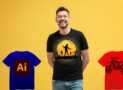
- Image editing using AI, create paintings using AI, T-shirt designs using AI.
- Learn how to write text prompts and get accurate results using ChatGPT.
- Learn how to create your own image and video generator (No coding required)
- Learn the basics of generative AI.
Requirements
- Basic familiarity with graphic design concepts is helpful but not mandatory; the course covers AI tools starting from introductory levels.
- No advanced technical skills are required, as the course is designed to guide learners step-by-step through AI-powered design workflows.
- Access to a computer and internet connection capable of running design software like Photoshop, Illustrator, Canva, and AI image/video generation tools is needed.
- Enthusiasm to learn AI integration into graphic design and openness to experimenting with over 50 AI tools covered in the training is essential.
Description
Master AI for Graphic Design with 50+ AI Tools & Workflows
Learn how to use Generative AI to create professional graphics, AI-generated images, videos, marketing materials, and creative projects faster.
This practical, step-by-step course teaches you how to integrate AI into your graphic design workflow and get more accurate, professional results. You’ll learn effective AI prompting, image generation, image editing, video creation, and complete AI-powered design workflows.
Explore 50+ AI tools and apps, including Adobe Generative AI, Canva AI, Nano Banana Pro, Leonardo AI, PixVerse AI, OpenArt, Ideogram, HeyGen, InVideo, Google Flow, and many more.
What You Will Learn
Use 50+ AI tools for graphic design, image generation, video creation, and content creation.
Create social media posts, reels, advertisements, thumbnails, posters, package designs, branding materials, and infographics.
Write effective AI prompts and refine AI-generated results.
Generate and edit professional AI images for marketing, branding, and social media.
Create AI videos, voiceovers, reels, and short-form content.
Create children’s book illustrations and other creative visual projects with AI.
Use AI-powered tools such as CapCut for video editing.
Build practical AI workflows for real-world graphic design and client projects.
Learn how to use AI for branding, marketing, advertising, and content creation.
Discover ways to find AI art and freelance opportunities and build your portfolio.
Explore resources for selling AI artwork and discovering new AI tools and creative communities.
Course Coverage
The course covers AI image generation, image editing, graphic design, AI video generation, video editing, voiceovers, audio generation, social media content, advertising creatives, branding, illustrations, and AI-powered design workflows.
You’ll learn not just individual AI tools, but how to combine them into practical workflows to create high-quality creative work faster.
Bonus Resources
You’ll get practical tips for finding AI art and freelance opportunities, building your AI artist portfolio, discovering new AI tools, and exploring creative communities.
You’ll also receive a free eBook: “AI for Graphic Designers.”
Who Is This Course For?
This course is ideal for graphic designers, freelancers, digital artists, AI artists, content creators, marketers, students, entrepreneurs, and anyone who wants to use Generative AI for creative work.
No advanced AI experience is required. Follow the step-by-step demonstrations and start applying AI to your own design projects.
Enroll now and start mastering AI for graphic design with 50+ powerful AI tools and workflows.
Disclaimer
This course includes AI-generated visuals, content, and voiceovers for demonstration and educational purposes. AI tools, features, pricing, and availability may change over time.
Author(s): Mohak Gosavi